Free digital piano application for Chrome users
Free digital piano application for Chrome users
Vote (1 votes)
Program license Free
Developer virtualpianos
Works under Windows
Vote
(1 votes)
Developer
virtualpianos
Works under
Windows
Program license
Free
Pros
- Free and extremely lightweight
- Easy-to-use, intuitive interface
- Includes built-in lessons and demo songs
- Supports over 50 languages
- Touchscreen compatibility for added realism
Cons
- Lacks advanced features for serious musicians
- Basic sound quality
- No recording or export options
- Minimal customization
A straightforward digital keyboard and learning tool accessible through Chrome.
Overview
Virtual Piano for Chrome brings a digital piano experience directly into your web browser, offering a simplified and accessible platform for musical exploration. This free app turns any Windows device with Chrome installed into a playable piano, making it especially handy for learners and hobbyists who want to practice basic melodies, experiment with sounds, or get started on their musical journey without committing to a full physical instrument.
Features
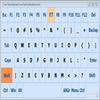
Virtual Piano for Chrome simulates a traditional piano keyboard, complete with labeled keys for easy note recognition. Users can play notes using their mouse or a connected keyboard, providing flexibility in how they interact with the instrument. The interface is intuitive, prioritizing clarity and responsiveness, and is suitable for all age groups.
The app includes a collection of built-in demo songs and tutorials designed to teach users which keys to play and in what order. As a result, beginners can quickly practice well-known tunes while learning the fundamentals of key placement. Users also have the ability to experiment with creating their own melodies, offering a basic form of creative expression.
Performance and Usability
Virtual Piano for Chrome loads almost instantly due to its minimal file size, ensuring that it’s easy on system resources. The audio engine, while modest compared to professional software, produces clean piano tones that are sufficient for practice and basic enjoyment. The app’s lightweight nature ensures low latency and smooth response on most Windows devices, whether on desktops or laptops.
Touchscreen compatibility is supported, benefiting users who run Chrome on touchscreen-enabled Windows devices. This feature closely mimics the tactile experience of playing a physical piano, enhancing the learning experience for some users.
Learning and Language Support
This app is tailored toward beginners, making it less suitable for advanced musicians seeking customization or advanced features such as MIDI support or multi-instrument libraries. However, the inclusion of support for over 50 languages ensures that the interface can be comfortably used by a diverse global audience.
Limitations
While Virtual Piano for Chrome excels as an entry-level piano tool, it does not offer extended functionalities found in more comprehensive music software. There are limited options for recording, exporting, or advanced customization. The sound quality, while realistic enough for many learners, may not satisfy discerning ears or users requiring professional-grade samples.
Conclusion
Virtual Piano for Chrome stands out as an effective and accessible tool for newcomers to piano, classroom environments, or users in search of a lightweight music-making app. Its approachable design, ease of use, and quick setup make it a solid choice for those looking to dip their toes into piano practice without investing in hardware or extensive software licenses.
Pros
- Free and extremely lightweight
- Easy-to-use, intuitive interface
- Includes built-in lessons and demo songs
- Supports over 50 languages
- Touchscreen compatibility for added realism
Cons
- Lacks advanced features for serious musicians
- Basic sound quality
- No recording or export options
- Minimal customization